

Top 10 Shredder Picks for Ultimate Document Security and Efficiency
2026-04-08
In today’s digital age, safeguarding sensitive documents is more crucial than ever—whether in the office or at home. From confidential contracts to personal records, ensuring that paper trails don’t fall into the wrong hands is a top priority. That’s where high-quality shredders come in, but with so many options available, how do you choose the right one? Welcome to our guide on the 'Top 10 Shredder Picks for Ultimate Document Security and Efficiency', where we’ve curated a list to help you make an informed decision. Among them, the Shengzhong Shredder stands out—blending robust performance with user-friendly features to meet diverse needs. It’s not just about shredding; it’s about peace of mind and optimized workflow. Dive in as we explore models that prioritize security, durability, and efficiency, and discover why investing in the right shredder can transform your document management.
What to Look for When Choosing a High-Security Shredder
When picking out a high-security shredder, the shred size is a key factor that directly impacts data protection levels. True high-security models, often DIN P-7 rated, produce cross-cut or micro-cut particles so tiny that reconstruction is virtually impossible, unlike basic strip-cut shredders that leave legible strips. For example, micro-cut shredders can turn documents into confetti-like pieces smaller than 1mm x 5mm, ensuring sensitive information from financial records to classified documents is thoroughly destroyed and compliant with stringent standards like those for government or healthcare data.
Beyond shred size, consider the shredder's durability and safety features, which can vary significantly between models. Look for robust construction with hardened steel cutters that resist jamming and overheating, especially if you handle heavy volumes. Features like automatic oiling systems, overload protection, and quiet operation enhance longevity and usability. Additionally, safety mechanisms such as automatic shut-off when the bin is full or the head is lifted prevent accidents and unauthorized access, making these shredders reliable for high-stakes environments where downtime or breaches aren't an option.
Don't overlook practical aspects like capacity and intended use, as these influence both efficiency and suitability. Assess whether you need a personal, departmental, or industrial shredder based on sheet count and material types—some high-security models can shred staples, credit cards, or even CDs. Also, check maintenance needs and warranty terms; a longer warranty often signals confidence in durability. By balancing these elements, you can choose a shredder that not only meets security demands but also fits smoothly into your workflow, avoiding common pitfalls like undersized models that can't handle peak loads.
Why Auto-Feed Shredders Save Time and Boost Productivity
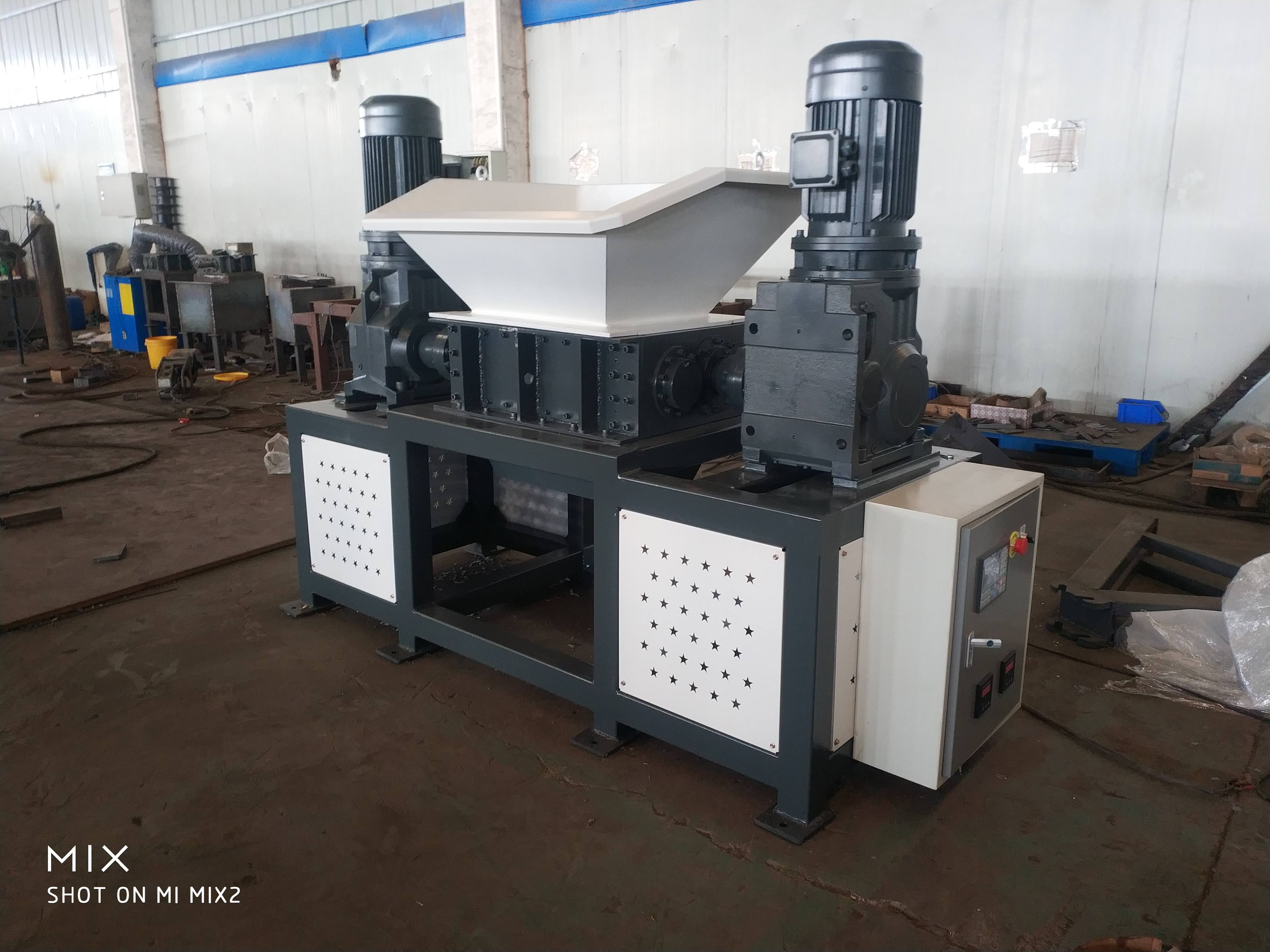
Auto-feed shredders transform tedious paper disposal into a hands-off task, freeing up employees to focus on more critical work. By automatically detecting and feeding stacks of documents without manual intervention, these machines eliminate the need for constant supervision at the shredder. This means no more standing around feeding pages one by one or dealing with jams from overloading—what used to eat up minutes each day now happens seamlessly in the background.
Picture this: during busy periods, when paperwork piles up, an auto-feed model handles it all without breaking stride. It's not just about shredding faster; it's about streamlining the entire workflow. Employees can drop off a batch of sensitive documents and walk away, knowing the shredder will process them reliably. This reduces bottlenecks in high-traffic areas like offices and reduces frustration, leading to smoother operations and less downtime.
Beyond time savings, these shredders enhance productivity by promoting better security habits. With less effort required, people are more likely to shred documents promptly, cutting clutter and minimizing security risks. The result? A cleaner, more efficient workspace where technology handles the grind, allowing teams to channel their energy into creative or strategic tasks instead of mundane chores.
Compact Shredders That Fit Any Office Layout
When space is at a premium in modern offices, compact shredders offer a sleek solution without sacrificing security or functionality. These models are designed with small footprints, often fitting neatly under desks, in corners, or on shelves, making them ideal for tight cubicles, shared workspaces, or home offices where every inch counts. They come in various stylish finishes to blend seamlessly with contemporary decor, ensuring they don't disrupt the flow of your layout while providing reliable document destruction at your fingertips.
Beyond just size, these shredders are engineered for versatility, featuring innovative designs like vertical or cross-cut options that handle everything from standard paper to credit cards. Their quiet operation and energy-efficient modes mean they won't disturb colleagues or spike power bills, perfect for busy environments. Many include user-friendly elements such as auto-start sensors and easy-empty bins, streamlining daily tasks so you can focus on work without hassle.
What sets them apart is their adaptability to dynamic office needs—some models offer mobile bases or wall-mount capabilities, allowing for flexible placement as teams reorganize. With robust construction and advanced safety features, they deliver peace of mind in a compact package, proving that smart design can enhance both aesthetics and productivity in any setting.
Cross-Cut vs. Strip-Cut: Which Shredding Style is Right for You?
When it comes to shredding sensitive documents, the choice between cross-cut and strip-cut styles isn't just about which machine looks fancier on your desk—it's about balancing security needs with practicality in your daily routine. Cross-cut shredders, often called confetti-cut or diamond-cut, slice paper into tiny, unreadable pieces by making both horizontal and vertical cuts, offering higher security levels ideal for confidential financial records or personal data. In contrast, strip-cut models, sometimes referred to as straight-cut, produce long, thin strips of paper, which might be easier to handle and more budget-friendly for basic office use or less critical materials. The decision hinges on factors like the volume of documents you process, the required level of protection, and how much space you have, as cross-cut units can be bulkier but deliver peace of mind against identity theft.
You might lean towards a strip-cut shredder if your main goal is to quickly dispose of non-sensitive papers, such as old newsletters or draft copies, without worrying about intricate shreds jamming the machine. These models are generally faster, quieter, and more energy-efficient, making them a solid pick for high-traffic environments where speed trumps top-tier security. For instance, in a busy school office or retail setting, where documents rarely contain sensitive information, a strip-cutter can keep things moving smoothly without the fuss. Cross-cut options, while slower and sometimes noisier, excel in scenarios where data breaches are a real concern, like in legal firms or healthcare facilities; their fine particles make reconstruction nearly impossible, adding an extra layer of defense against prying eyes.
To make the right choice, consider your specific needs: evaluate the types of documents you shred most often and how much security you truly require. If you're shredding bank statements or contracts regularly, investing in a cross-cut model could save you headaches down the line. On the flip side, for everyday clutter or bulk shredding tasks, a strip-cut shredder might be more efficient and cost-effective. Test out both styles if possible—handle the output to see which feels more manageable for your disposal methods, whether it's recycling or trash. Ultimately, the best shredding style aligns with your workflow, ensuring secure destruction without slowing you down or breaking the bank.
Top-Rated Shredders for Handling Sensitive Documents
When it comes to safeguarding private information, a reliable shredder is essential. Top-rated options often feature cross-cut or micro-cut capabilities, which transform documents into tiny, unreadable pieces, ensuring that sensitive data like financial records or personal identifiers are thoroughly destroyed. Brands like Fellowes and AmazonBasics offer models praised for their durability and efficiency, making them a go-to choice for offices and homes alike.
Beyond basic performance, many high-end shredders include enhanced security features such as jam-proof mechanisms and safety sensors, which prevent accidents and maintain smooth operation. These machines are designed to handle high volumes without overheating, with some models boasting shredding speeds that can process dozens of sheets per minute—a key factor for busy environments where time is of the essence.
User reviews frequently highlight ease of use and quiet operation as standout qualities, setting top-rated shredders apart from less effective alternatives. By investing in a well-reviewed model, you not only protect sensitive documents but also gain peace of mind, knowing that your shredder is built to last and perform reliably over time, often with warranties that back up their quality claims.
How to Maintain Your Shredder for Long-Term Reliability
A shredder often gets overlooked in the daily office routine, but keeping it in top shape is the secret to avoiding frustrating jams and costly repairs. Start by making it a habit to clean the blades every few weeks—simply unplug the machine, gently wipe away paper dust and debris with a soft brush or cloth, and ensure no stray staples or clips are stuck inside. This quick step prevents buildup that can dull blades and cause overheating, ensuring smooth operation for years.
Don't forget about lubrication, which is crucial for the internal gears and cutting mechanisms. Use a shredder-specific lubricant sheet or spray as recommended by the manufacturer, typically after shredding a batch of paper or once a month. Proper lubrication reduces friction and wear, keeping the motor running efficiently and extending its lifespan, so your shredder won't let you down during a hectic workday.
To further boost reliability, pay attention to usage habits. Avoid overfilling the shredder beyond its sheet capacity, as this strains the motor and can lead to breakdowns. Additionally, give the machine a break every 15-20 minutes of continuous use to prevent overheating. By incorporating these simple maintenance tasks into your routine, you'll enjoy a dependable shredder that's ready whenever you need it, without the hassle of unexpected downtime.
FAQ
Focus on cross-cut or micro-cut shredding for maximum security, a high sheet capacity to handle large volumes, and a durable motor for continuous operation. Additional features like quiet operation and jam prevention can enhance efficiency in busy offices.
Opt for shredders with energy-saving modes or automatic shut-off to reduce power consumption. Look for models that support recycling of shreds, especially those made from recycled materials themselves, to minimize environmental impact while maintaining document security.
Yes, compact or personal shredders are ideal for home offices, offering features like small footprints, easy-to-empty bins, and portability without compromising on security, often with cross-cut options for sensitive data.
Regularly oil the shredder blades with manufacturer-recommended oil, avoid overloading the sheet capacity, and clean out debris from the bin and blades periodically. Storing in a cool, dry place also helps prevent wear and tear.
For ultimate security, cross-cut shredders are superior as they cut documents into smaller, confetti-like pieces that are harder to reassemble. Strip-cut shredders are better for general use but may not meet high-security standards for sensitive data.
Many modern shredders come with multi-function capabilities, allowing you to shred credit cards, CDs, and even staples. Check the product specifications for credit card slots or dedicated media compartments to ensure compatibility with these materials.
Look for shredders with decibel ratings below 60 dB for quieter operation, which is crucial in shared environments to minimize disruption. Some models feature noise-dampening technology or quiet modes to blend seamlessly into office settings.
Absolutely, automatic feed shredders can significantly boost efficiency by allowing continuous shredding of multiple documents without manual intervention. This is especially beneficial for offices with high-volume shredding needs, saving time and reducing operator fatigue.
Conclusion
When seeking the ultimate document security and efficiency through a top-tier shredder, it's crucial to prioritize features that align with your specific needs. Start by considering what to look for in a high-security shredder, such as compliance with industry standards like P-4 or higher for cross-cut models, which ensures sensitive documents are thoroughly destroyed beyond reconstruction. This ties directly into understanding the shredding style—cross-cut vs. strip-cut—where cross-cut offers enhanced security by cutting paper into confetti-like pieces, making it ideal for handling sensitive documents, while strip-cut might suffice for basic needs but lacks the same level of protection. For offices dealing with confidential data, opting for top-rated shredders that excel in high-security features can prevent data breaches and maintain privacy effortlessly.
Beyond security, efficiency is key to boosting productivity in any setting. Auto-feed shredders stand out by saving time and enhancing workflow, as they allow batch processing without constant supervision, making them a smart pick for busy environments. Complementing this, compact shredders designed to fit any office layout ensure that space constraints don't compromise functionality, offering sleek, portable options that blend seamlessly into modern workspaces. To ensure long-term reliability, regular maintenance is essential—simple steps like cleaning cutting heads and avoiding overloading can extend your shredder's lifespan, keeping it ready for daily use. By integrating these aspects, from security-focused choices to time-saving designs and easy upkeep, the top shredder picks not only safeguard information but also streamline operations, making them indispensable tools for any security-conscious and efficient office.
Contact Us
Contact Person: Leon
Email: [email protected]
Tel/WhatsApp: 8615385558866
Website: https://www.shred-waste.com